 SmartLabs Docs
SmartTUBE Applications
SmartTUBE provides native applications for multiple client platforms. Test the applications on your devices using the instructions in this guide.
For Testing and Evaluation Only
The manual installation methods described in this guide are intended exclusively for testing and evaluation purposes. These are not recommended for production deployments.
Get demo accounts
Contact sales@smartlabs.tv with brief information about your company. You will receive demo account credentials for testing applications on multiple devices simultaneously.
Install SmartTUBE apps on your devices
-
Android TV (v9.0 or newer) — Get on Google Play — Install manually
-
Web Browser — Supported versions — Demo
-
LG TV (WebOS 4.0 or newer) — Get on Content Store — Install manually
-
Samsung TV (Tizen OS) — Install manually
-
Hisense TV — Get on VIDAA App Store
-
Android mobile — Get on Google Play
-
iOS — Get on App Store
Try it
Launch the application
Open the SmartTUBE application you just installed.
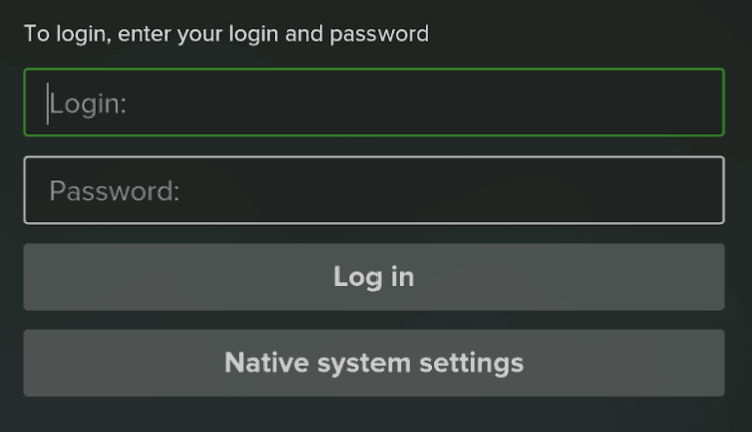
Log in with your demo credentials
Use the demo account credentials provided in your email:
- Enter your username or email address
- Enter your password
- Select Sign In
For smart TV platforms, we recommend logging in first on a mobile device where entering credentials is easier, then using the QR code login feature to authenticate on your TV.
Demo accounts support simultaneous logins across multiple devices, allowing you to experience the full multi-screen capability.
Experience the platform
Explore SmartTUBE's capabilities to evaluate how they meet your business requirements:
- Content delivery: Browse the video-on-demand catalog and live channels to review content organization and presentation
- Streaming quality: Experience adaptive bitrate streaming and quality settings across different network conditions
- User experience: Navigate the interface, search functionality, and content discovery features
- Content protection: Explore parental controls, PIN protection, and DRM-secured playback
- Cross-device continuity: Observe how viewing progress synchronizes across platforms
- Platform performance: Evaluate application responsiveness and loading times on your target devices
We recommend testing on multiple device types to fully evaluate cross-platform consistency and identify the best fit for your deployment needs.